

Skip To Content
Katalyst D2D®

Streamline High Throughput Experimentation, Process Development & Materials Studies

Request a Consultation or Demo

Katalyst D2D® Overview

Software for Automated, Digitalized Experimentation

Katalyst D2D® (Design-to-Decide) provides integrated experiment design, planning, execution, and analysis for high-throughput synthesis, process optimization, and preformulation studies. It helps scientists execute experiments more efficiently and connect data with decisions across the design-make-test-analyze (DMTA) cycle.

Whether you’re optimizing reaction conditions, scaling synthetic routes, or screening solid forms, use Katalyst to:

  • Manage data across your entire workflow
  • Support visualization and interpretation of analytical results
  • Use structured data for decisive decision-making and AI/ML

High Throughput Experimentation

  • Design, execute, and analyze HT experiments using a single interface.
  • Identify optimal reaction conditions with connected data automatically assembled in one place.
  • Leverage HT data and accelerate future projects.

Process Chemistry

  • Design, execute, and analyze process optimization and scale-up synthesis in one software.
  • One interface for lab-scale process optimization and pilot-scale workflows.
  • Review automatically assembled real-time and sampling data to identify optimal process scale-up conditions.

Material Studies

  • Design, execute, and analyze diverse material studies in one interface.
  • Auto-assemble critical process parameters (CPPs) and material attributes—solubility, stability, thermal properties etc. for efficient decision-making.
  • Ensure CMC data traceability for regulatory readiness with connected, contextual data.
Benefits

Accelerate Experimental Workflows

Automate Workflows in One Interface

  • Katalyst is purpose-built to support your entire workflow—whether it is HT experimentation, reaction scale-up, or solid state characterization.
  • Integrate with your networked hardware, laboratory execution systems, lab automation equipment, analytical instruments, and informatics systems.

Ensure Data Integrity

  • Reduce the risk of error propagation from data transcription between systems.
  • Eliminate manual transcription between the multiple software applications you currently use to design, plan, execute, and analyze experiments.
  • Assure compliance with FAIR and ALCOA principles.

AI/ML-Enabled Reaction Design

  • Use integrable third-party AI models to guide design of experiments (DoE) across a wide range of CMC studies including synthetic route optimization, process scale-up, work-up and crystallization.

Decide Faster with Assembled Results

  • Katalyst automatically assembles all your data from entire studies. Go from Design to Decide in one application.
  • Conveniently reprocess batch analytical data or a selection of datasets, no matter the instrument.

Flexible Data Analysis

  • Visualize experimental results within the Katalyst interface or, because your data is not locked into our format, export for analysis into your preferred data visualization software.

Leverage Structured Data for AI/ML

  • Pipeline the volumes of structured data you generate and manage with Katalyst, to machine learning and artificial intelligence models.

The Best Choice for Your Whole Team

Increased Efficiency

  • Reduce time spent assembling, managing, and sharing data
  • Execute experiments quicker with automatic procedure and instrument sampling/worklists
  • Plan HT experiments faster with built-in templates and pre-dispensed plates (kits)

Seamless Sharing

  • Find and review data for your experiment efficiently with automatic data transfer from all the systems in your workflow, into the Katalyst interface
  • Access data from other experiments of interest, in the Katalyst interface. No need to be tied to the instrument lab or office computer to manage your data.

Structured Data

  • Katalyst delivers normalized, structured data that can be readily exported for use in data science applications

Contextualized Data

  • Connection of data throughout scientific workflows ensures context for meaningful insights and re-usable knowledge

Streamlined Deployment & Maintenance

  • Browser-based software means simpler roll-out, implementation of updates, and maintenance
  • Deploy on-premises or on the cloud (hosted in your environment)
  • Admin tools help you manage the application environment remotely, review problems, and provide resolution steps

Peace of Mind with Supported Integrations

Katalyst is designed to integrate with instrument hardware, software, and many applications typically used by lab teams. Our professional services and support teams help ensure these integrations continue to operate as intended.

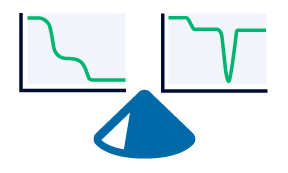
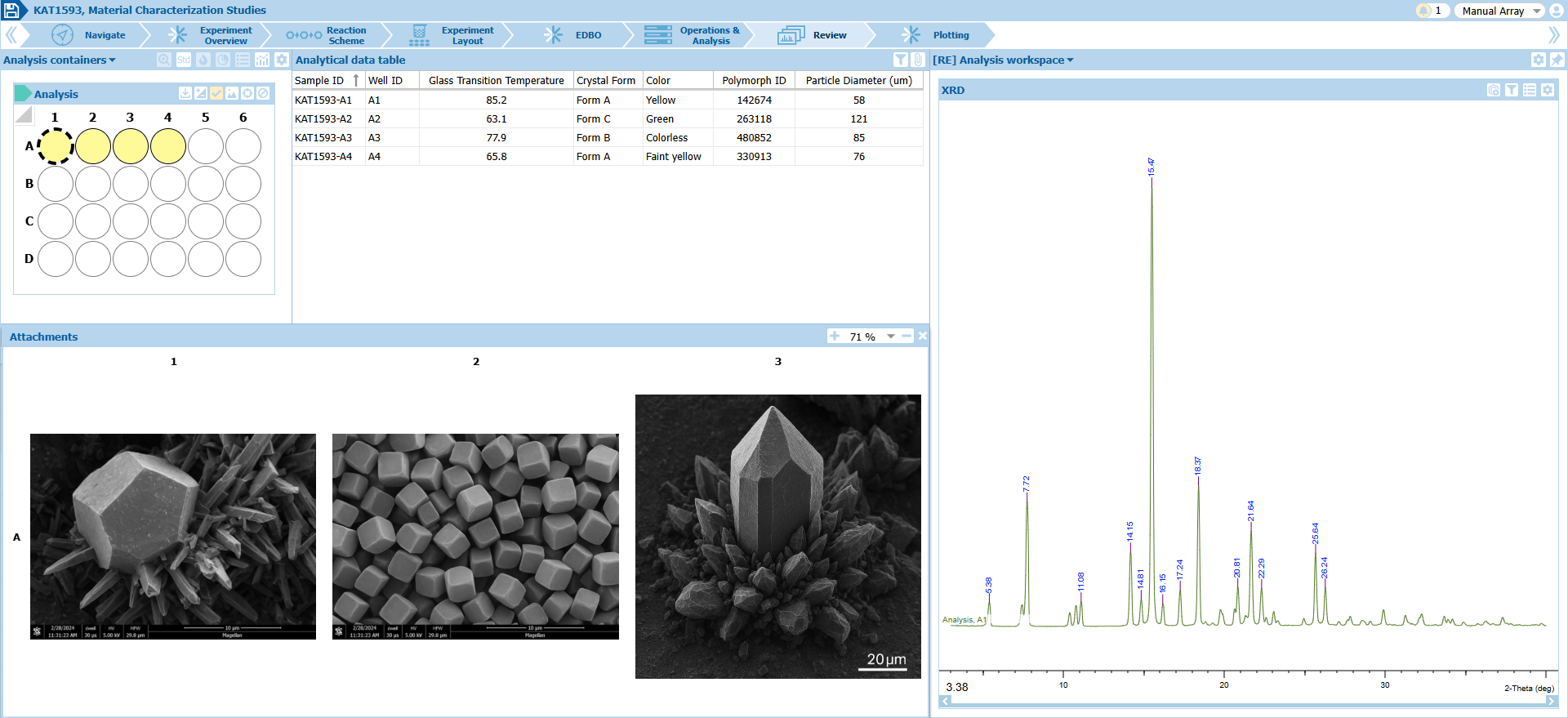
Assemble and manage results from preformulation material characterization studies, including thermal data, SEM, and XRPD.
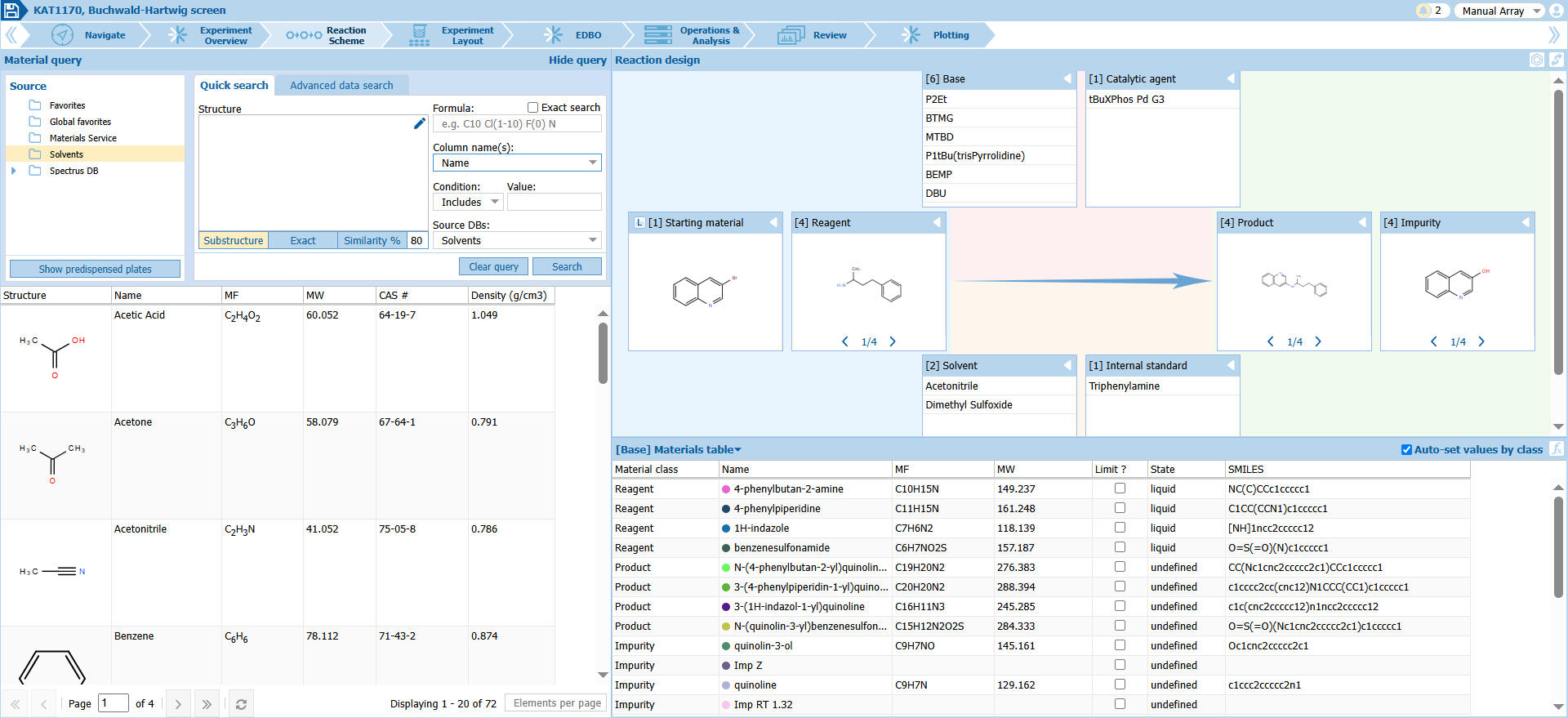
Intuitively design high throughput, parallel chemistry, and process optimization experiments. Drag-and-drop materials from all your material sources into the reaction scheme.
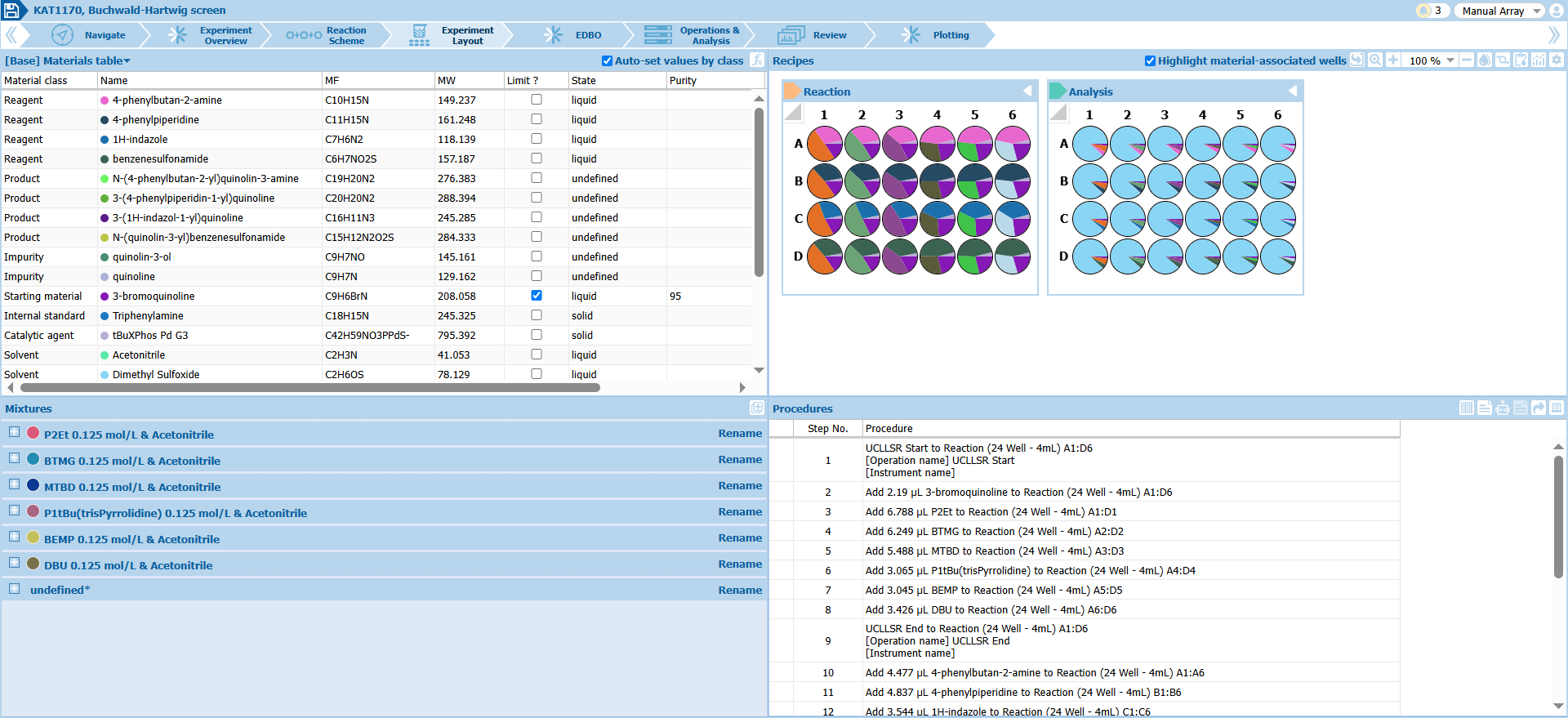
Effortlessly plan high throughput experiments and generate machine readable instruction files for robot execution.
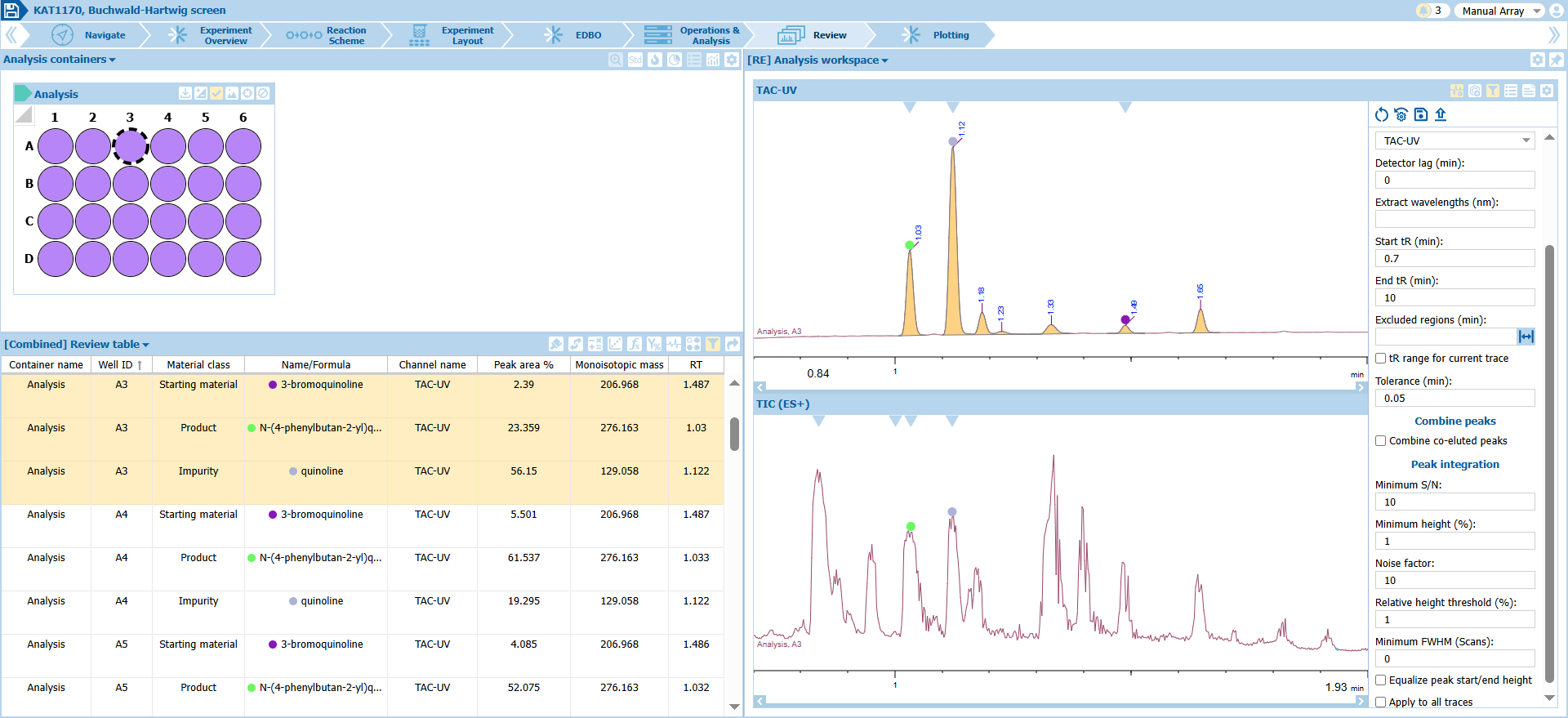
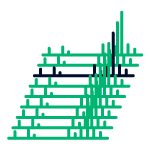
Process and analyze all your LC/UV/MS data, automatically linked to each sample, in the same interface.
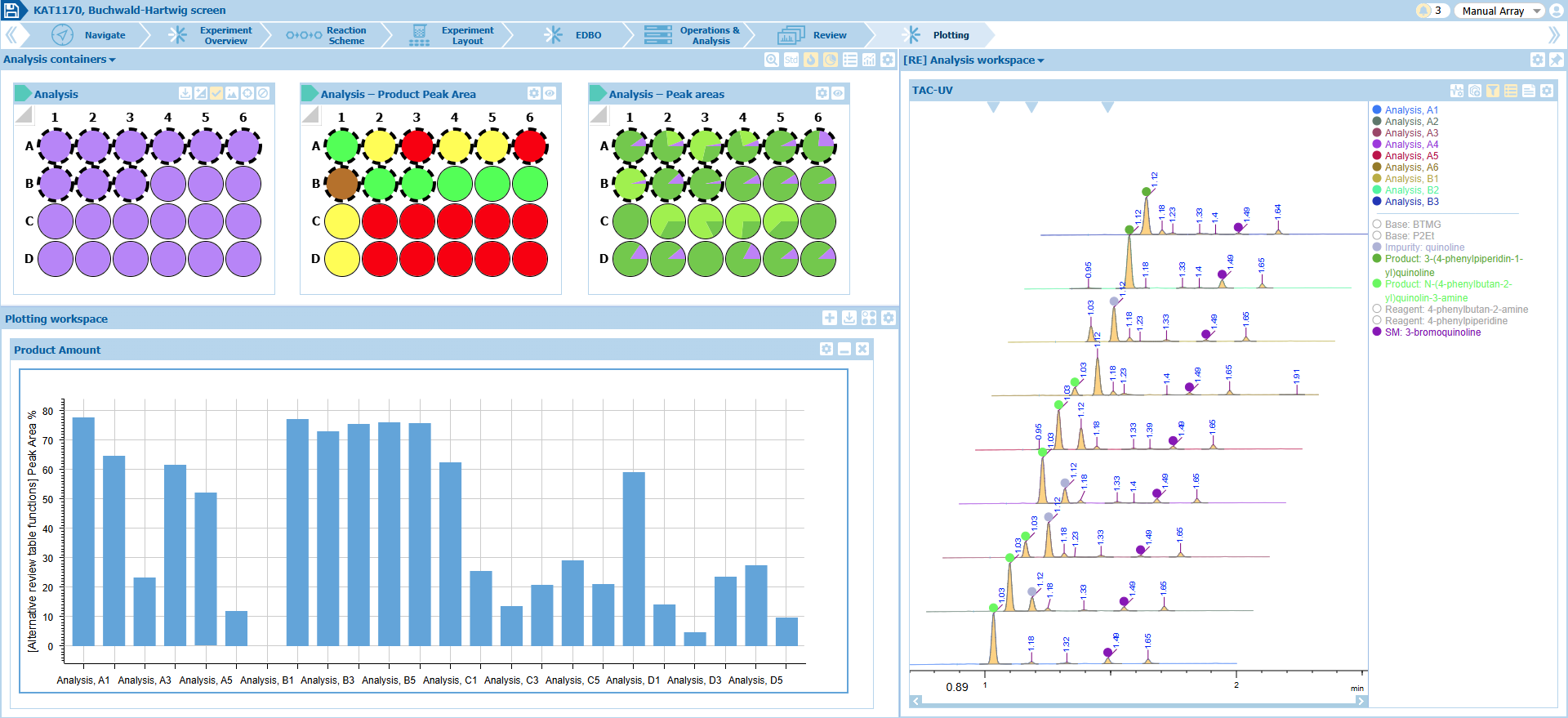
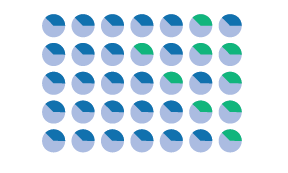
Visualize reaction optimization results in series and generate heat maps, pie charts, and plots to make faster decisions.
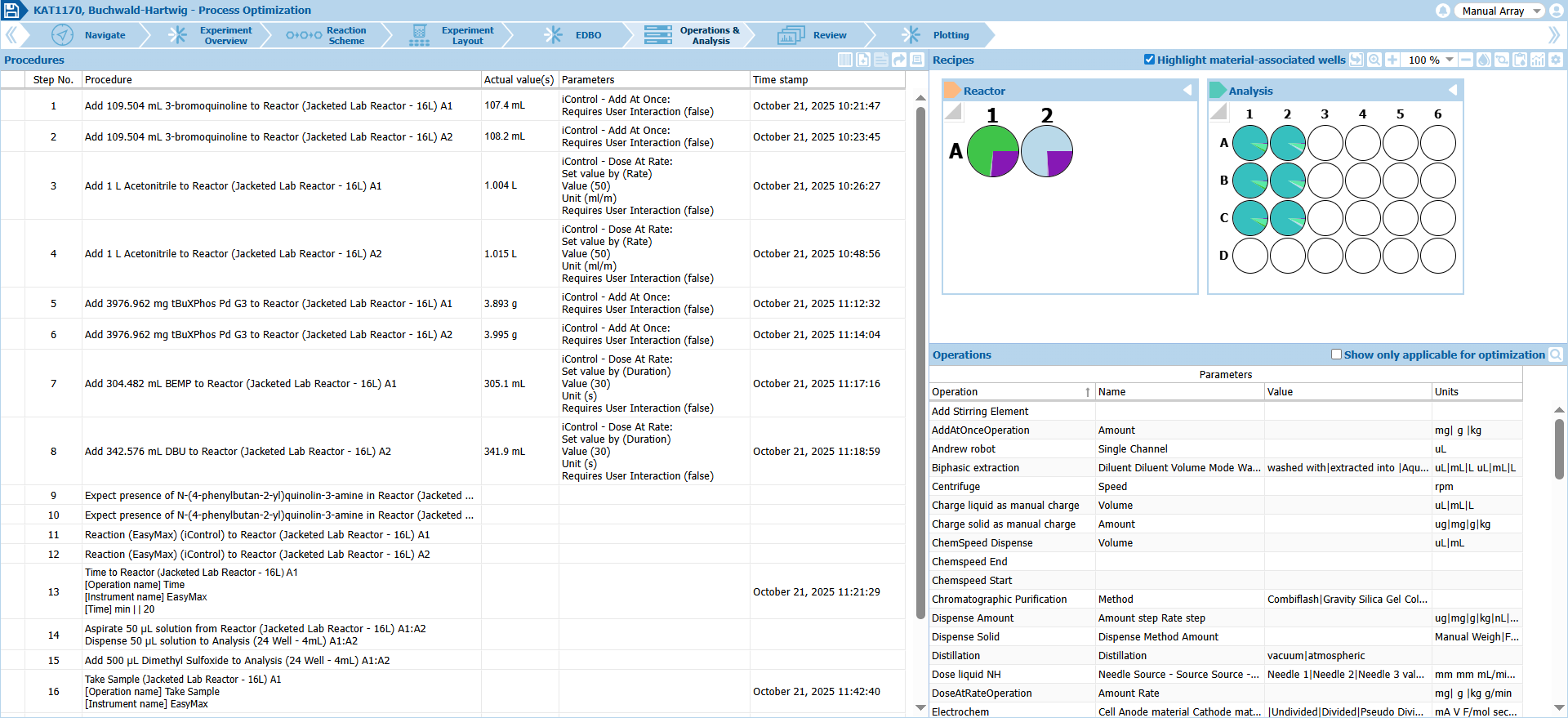
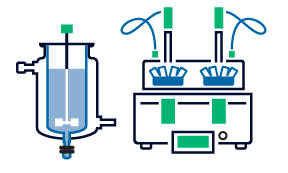
Effortlessly plan process optimization/scale-up experiments using jacketed lab reactors and set up sample analysis.
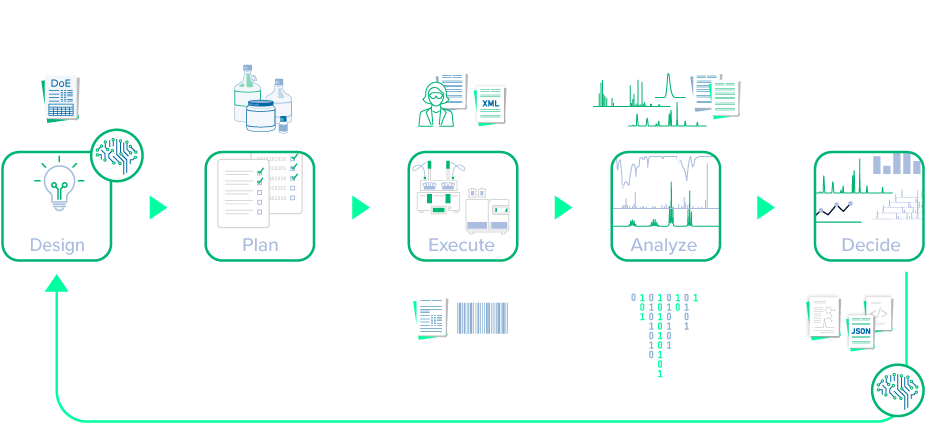
How it Works

Customer Reviews
“Katalyst [D2D] gives us the flexibility to identify the best reaction conditions using the heat map and well-size visualization available, or by creating charts and plots of our own.”

Kayleigh Mercer
Investigator, Externalisation and Technical Excellence team, Medicinal Chemistry, GSK

“Katalyst D2D provides a robust database and data architecture that allows you to go from an experiment to a data science model very quickly, without the very tedious data cleaning. From a data science perspective, the data goes directly from running the experiment to being written to the database. You can pull that into Python to then do your data science workflows almost seamlessly”

Jason (Jay) Stevens
Associate Scientific Director, Bristol Myers Squibb

“Colleagues not skilled with HTE were able to design a 96-well experiment in less than 5 minutes and get into the lab to run them the same day with Katalyst D2D.”

Kevin Arendt
Bristol Myers Squibb

“Katalyst ensures that our HT data is captured correctly for AI/ML purposes. It’s high quality, consistent data—including reaction conditions, yields, side-product formation, and outcomes—that we can use directly to build robust predictive models.”

Iulia Strambeanu
Head of High-Throughput Experimentation, Global Discovery Chemistry, Johnson & Johnson

“Katalyst D2D is a wonderful tool for high throughput chemistry. From initial fabrication of the experiment, to analysis and processing of the data—it keeps everything all in one place.”

David Battersby
GSK

Product Features

Features of Katalyst D2D®

  • Import HT experiment designs created in third-party statistical DoE software (e.g., JMP) or use the integrable AI/ML tools to investigate critical process parameters
  • Drag and drop pre-defined material classes (reagent, catalyst, ligand, solvent, etc.) into the Composite Reaction Scheme to create your high throughput experimental design
  • Save and share experimental designs as templates to speed up future projects
  • Chemically-aware design allows you to draw, import, or search your inventory and registration systems to include specific materials and related material metadata into your design
  • Support for a wide range of plate-based experiment dimensions.
  • Define material dispense locations by array patterns (well, row, column, block, stripe, etc.) and dispense types (single channel pipettes, multi-channel, etc.)
  • Define material dispense amounts by weight, volume, molar, and various referential units (molar equivalents of limiting reagents, etc.)
  • Define equipment-specific and scientist operations (dispense, heat, stir, etc.) for each experiment using a fully configurable operations list
  • Define pre-process, in-process, and post-process sampling times for reaction profiling studies
  • Automated calculation of material amounts for each experiment array. Adjust amounts based on material availability.
  • Fully integrated hazard assessment for all reaction materials, equipment and operations
  • Manual dispensing of materials
    • Generate a report with step-by-step instructions for weighing materials and preparing reagent stock solutions
  • Material dispensing via lab automation/robotics
    • Generate machine-readable files for import into instrument software
    • Send instructions directly to instruments
    • Plan downstream sample preparation for preparative chromatography, registration and inventory, and high throughput analytical data
  • Sampling for analysis
    • Prepare sample lists for analytical instruments
  • Import robot log files
    • After experiment execution via solid and liquid handling robots, import the resulting log file containing the actual dispensed amounts of materials, recorded parameters (temperature, stir rate, pH, etc.), time stamps, and comments
  • Automatically perform targeted analytical data processing
    • Process and analyze data from LC/MS, HPLC, UHPLC, and NMR instruments
    • Native support for >150 instrument vendor data formats including Empower, MassLynx, ChemStation, LabSolutions, and Bruker. Review the list of supported formats
  • Automatically associate results with each respective well in your high throughput experiment
  • Manually reprocess single data sets or batch reprocess entire plates of data on-demand
  • Visualize analytical results linked with the vessel or by well-plate location
  • Compare stacked chromatograms, spectra, and other analytical data
  • Export results to
    • PDF, Microsoft Office Word/Excel/PowerPoint
    • Third-party systems for further data analysis and AI/ML modeling
  • Import experiment designs created in third-party statistical DoE software (e.g., JMP) or use the integrable AI/ML tools to investigate critical process parameters
  • Drag and drop pre-defined material classes (reagent, catalyst, ligand, solvent, etc.) into the Composite Reaction Scheme to create your experimental design for process optimization
  • Save and share experimental designs as templates to speed up future projects
  • Chemically-aware design allows you to draw, import, or search your inventory and registration systems to include specific materials and related material metadata into your design
  • Support for a wide range of experiment dimensions including single-vessel jacketed lab reactors
  • Define material dispense amounts by weight, volume, molar, and various referential units (molar equivalents of limiting reagents, etc.)
  • Define equipment-specific and scientist operations (dispense, heat, stir, etc.) for each experiment using a fully configurable operations list
  • Define pre-process, in-process, and post-process sampling times for reaction profiling studies
  • Fully integrated hazard assessment for all reaction materials, equipment and operations
  • Manual dispensing of materials
    • Generate a report with step-by-step instructions for weighing materials and preparing reagent stock solutions
  • Material dispensing via lab automation/robotics
    • Generate machine-readable files for import into Mettler Toledo iControl software
    • Send instructions directly to instruments
    • Plan downstream sample preparation for preparative chromatography, registration and inventory, and analytical data collection
  • Work-up operations
    • Define and perform work-up steps like filtration, extraction, and recrystallization
  • Sampling for analysis
    • Prepare sample lists for analytical instruments
  • Import robot log files
    • After experiment execution via Mettler Toledo robotic instruments, import the resulting log file containing the actual dispensed amounts of materials, recorded parameters (temperature, stir rate, pH, etc.), time stamps, and comments
  • Automatically perform targeted analytical data processing
    • Process and analyze data from LC/MS, HPLC, UHPLC, and NMR instruments
    • Import processed data and images from IR, Raman, XRPD, and microscopy instruments
    • Native support for >150 instrument vendor data formats including Empower, MassLynx, ChemStation, LabSolutions, and Bruker. Review the list of supported formats
  • Automatically associate results with each reaction vessel in your experiment
  • Manually reprocess single data sets or batch reprocess multiple data sets on-demand
  • Visualize analytical results linked with the vessel
  • Compare stacked chromatograms, spectra, and other analytical data
  • Export results to
    • PDF, Microsoft Office Word/Excel/PowerPoint
    • Third-party systems for further data analysis and AI/ML modeling
  • Import experiment designs created in third-party statistical DoE software (e.g., JMP) or use the integrable AI/ML tools to investigate critical process parameters
  • Drag and drop pre-defined material classes (reagent, catalyst, ligand, solvent, etc.) into the Composite Reaction Scheme to create your experimental material study design
  • Save and share experimental designs as templates to speed up future projects
  • Chemically-aware design allows you to draw, import, or search your inventory and registration systems to include specific materials and related material metadata into your design
  • Support for a wide range of experiment dimensions—from single-vessel jacketed lab reactors to plate-based arrays.
  • Define material-dispense locations by array patterns (well, row, column, block, stripe, etc.) and dispense types (single channel pipettes, multi-channel, vol/time, etc.)
  • Define material dispense amounts by weight, volume, molar, and various referential units (molar equivalents of limiting reagents, etc.)
  • Define equipment-specific and scientist operations (dispense, heat, stir, etc.) for each experiment using a fully configurable operations list
  • Define sampling times for time studies
  • Fully integrated hazard assessment for all reaction materials, equipment and operations
  • Manual dispensing of materials
    • Generate a report with step-by-step instructions for weighing materials and preparing reagent stock solutions
  • Material dispensing via lab automation/robotics
    • Generate machine-readable files for import into instrument software
    • Send instructions directly to instruments
  • Sampling for analysis
    • Prepare sample lists for analytical instruments
  • Import robot log files
    • After experiment execution via robotic instruments, import the resulting log file containing the actual dispensed amounts of materials, recorded parameters (temperature, stir rate, pH, etc.), time stamps, and comments
  • Automatically perform targeted analytical data processing
    • Process and analyze data from LC/MS, HPLC, UHPLC, and NMR instruments
    • Import images and numerical/textual results from solubility, IR, Raman, XRPD, microscopy, Karl Fischer titration, DSC, and TGA studies
    • Native support for >150 instrument vendor data formats including Empower, MassLynx, ChemStation, LabSolutions, and Bruker. Review the list of supported formats
  • Automatically associate results with each vessel in your experiment
  • Manually reprocess single data sets or batch reprocess multiple data sets on-demand
  • Visualize analytical results linked with the vessel or by well-plate location
  • Compare stacked chromatograms, spectra, and other analytical data
  • Export results to
    • PDF, Microsoft Office Word/Excel/PowerPoint
    • Third-party systems for further data analysis and AI/ML modeling
Deployment/Integration Options

Deploy On-Cloud or On-Premises

Katalyst D2D has been successfully deployed both on-premises and client-hosted Cloud (e.g., AWS). We will help you with implementation and provide support for your deployment.

Tailored to Your Process & Environment

When it comes to complex workflows, one-size solutions will not fit everyone. We work with you to design the deployment and integration of Katalyst to serve your data, hardware, and software. Get the custom fit of an in-house solution with the quality and upkeep of a supported, commercial product.

Integrates With Your Laboratory Informatics Systems

Spend your time on the science, not administrative tasks.

Katalyst D2D integrates with your electronic notebook (ELN, e.g. Revvity Signals), AI/ML models and software, in-house databases and systems (chemical inventory, registration systems, etc.), lab automation equipment, and more.

So, instead of manually transcribing data between systems, you can concentrate on screening optimal reaction conditions, or executing material studies, to move projects along faster.


Compatible with Your Analytical Instruments & Experiment Hardware

  • JEOL
  • FOSS
  • Jasco
  • Bruker
  • Allotrope Foundation
  • Varian
  • Agilent
  • Dionex
  • ThermoFisher
  • Shimadzu
  • Hitachi
  • Tecmag
  • Sciex
  • Pistoia Alliance
  • PerkinElmer
  • Ocean Optics
  • Magritek
  • Leco
  • Stoe
  • Waters
  • TA Instruments
What's New!

What’s New in Katalyst D2D v2025

  • Explore chemical reaction space more efficiently with AI tools—use the EDBO+ Bayesian optimizer add-on or integrate Atinary’s SDLabs AI Platform
  • Revitty Signals notebook users—facilitate HT reaction optimization with streamlined design, planning, execution, and analysis with direct Katalyst D2D integration
  • Define material amounts relative to any reagents in the experiment—by molar equivalent, mass, or volume
  • Create, apply, and save complex multichannel aspirate/dispense patterns
  • Choose from two new procedure reports for succinct manual procedures lists
  • Define sample timepoints and generate aspirate/dispense for reaction kinetics studies, view results, and generate kinetics plots.
  • Generate and visualize plots for solubility studies
  • Analyze MS data with expanded functionality—detect multiply charged species, define MS-inactive compounds, and exclude assignment of particular material classes
Learn More about Katalyst D2D